

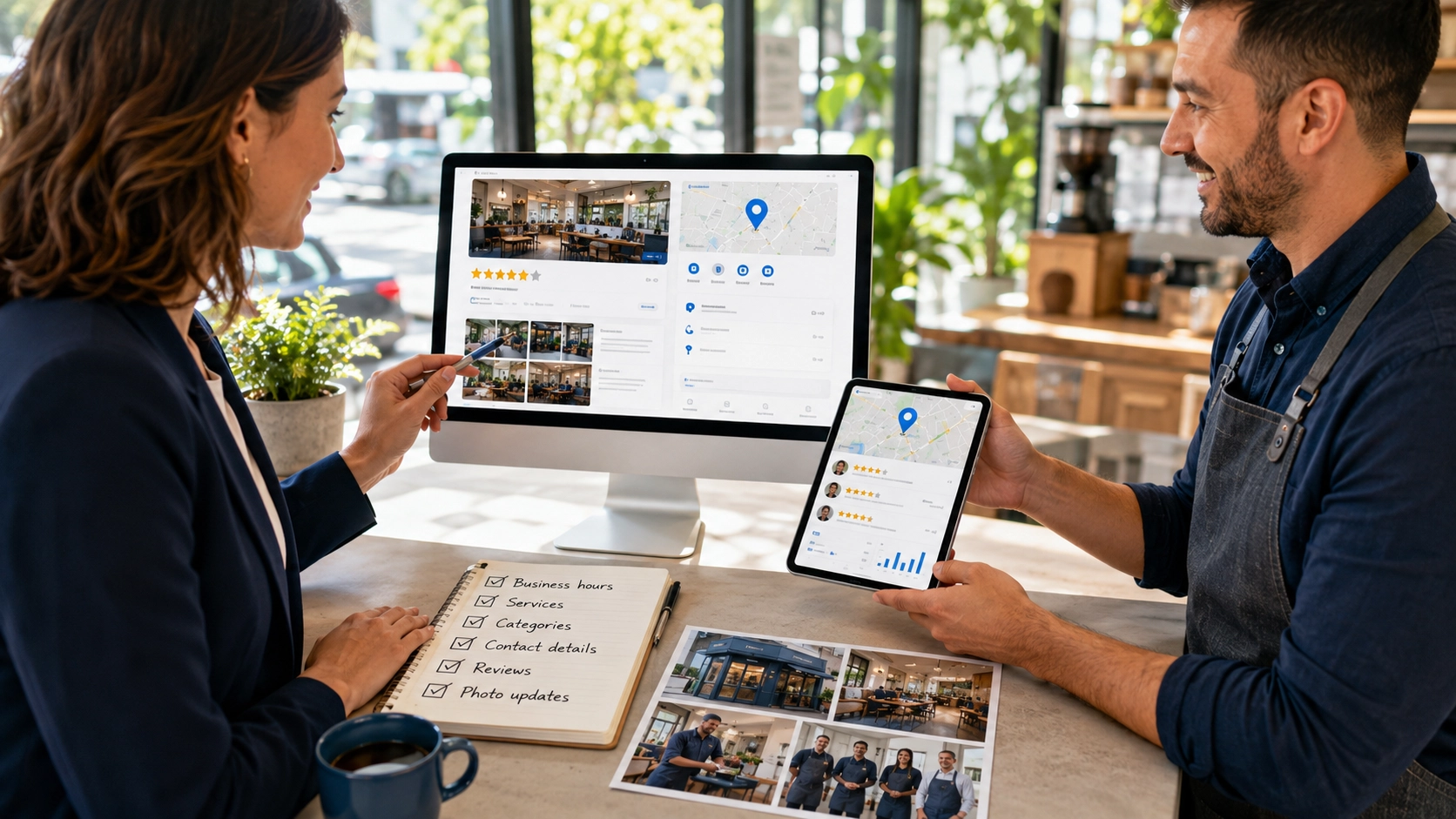
A Google Business Profile can help local customers discover a business through Google Search and Google Maps.
For many businesses, it may be one of the first places customers see:
- Business name
- Address
- Phone number
- Opening hours
- Reviews
- Photos
- Services
- Website link
- Directions
A complete and active profile can make the business easier to find and easier to trust.
However, simply creating a profile is not enough.
The information needs to be accurate, relevant and regularly maintained.
What is a Google Business Profile?
A Google Business Profile is a free business listing that appears across Google Search and Google Maps.
It allows a business to present important information such as:
- Business name
- Location
- Service area
- Contact details
- Operating hours
- Website
- Categories
- Services
- Photos
- Reviews
- Updates
The profile can also allow customers to:
- Call the business
- Request directions
- Visit the website
- Send a message
- View photos
- Read reviews
- See business updates
For local businesses, the profile acts as a bridge between online discovery and real-world action.
Why profile visibility matters
Local customers often search using phrases such as:
- plumber near me
- website designer Singapore
- café nearby
- renovation contractor
- commercial cleaning services
- branding agency
- interior designer near me
Google may display a local map section with several nearby businesses.
A stronger profile can improve the chances of appearing in these local results.
Visibility matters because customers often compare businesses quickly.
They may look at:
- Distance
- Reviews
- Photos
- Opening hours
- Business category
- Website
- Profile completeness
A weak or outdated profile may cause customers to move on before they even visit the website.
Complete and verify the business information
Start with the basic information.
Make sure the profile includes:
- Correct business name
- Accurate address
- Service area
- Phone number
- Website address
- Opening hours
- Business category
- Services
- Business description
The details should match the information shown on the website and other online listings.
Inconsistent information can create confusion.
For example, if the website shows one phone number and the profile shows another, customers may hesitate or contact the wrong number.
The business should also complete the verification process.
An unverified profile may have limited control and reduced trust.
Choose the right business categories
Business categories help Google understand what the company does.
The primary category should describe the main business activity as accurately as possible.
For example:
- Website designer
- Marketing agency
- Interior designer
- Cleaning service
- Plumber
- Café
- Accounting firm
Additional categories can be added when they are genuinely relevant.
Avoid selecting many loosely related categories just to appear in more searches.
The goal is accuracy.
A clear category helps Google match the business with more suitable searches.
Write a useful business description
The business description should explain:
- What the business does
- Who it serves
- Where it operates
- What services it provides
- What makes the approach relevant
Keep the language clear and natural.
Avoid:
- Repeating keywords unnaturally
- Adding promotional claims without explanation
- Writing in all capital letters
- Listing too many unrelated services
- Using vague phrases such as “best service” without context
The description should support customer understanding, not simply fill the available space.
Add services and products
The services section helps customers understand what the business offers.
Add clear service names and short descriptions.
For example:
- Website design
- Brand identity design
- Google Ads management
- SEO services
- Content creation
- Commercial cleaning
- Renovation services
Where suitable, the business can also add:
- Service categories
- Starting prices
- Product images
- Short descriptions
- Relevant links
The service list should match the website.
Do not include outdated or unavailable services.
Upload strong and relevant photos
Photos can strongly influence how customers perceive the business.
Useful photo types may include:
- Storefront
- Office
- Team
- Products
- Completed projects
- Equipment
- Service process
- Interior environment
- Before-and-after examples
- Customer-facing areas
Good photos should be:
- Clear
- Well lit
- Current
- Relevant
- Professionally presented
- Free from unnecessary text
Avoid relying only on generic stock images.
Real photos help customers understand what the business looks like and what they can expect.
Keep business hours accurate
Opening hours should always reflect the real operating schedule.
Update the profile when there are:
- Public holidays
- Temporary closures
- Special opening hours
- Seasonal changes
- Renovation periods
- Emergency closures
Incorrect hours create frustration.
A customer who travels to the business and finds it closed may leave a negative review or choose a competitor.
Accurate hours are a small detail with a large practical effect.
Build and respond to customer reviews
Reviews are one of the most visible parts of a Google Business Profile.
They can influence both trust and customer choice.
Encourage satisfied customers to leave honest reviews.
A simple request may be included in:
- Follow-up emails
- WhatsApp messages
- Thank-you pages
- Receipts
- Service completion messages
Do not purchase fake reviews.
Do not pressure customers to leave only positive feedback.
Respond to reviews professionally.
For positive reviews:
- Thank the customer
- Mention the service where appropriate
- Keep the response genuine
For negative reviews:
- Stay calm
- Acknowledge the concern
- Avoid arguing publicly
- Offer a practical next step
- Move detailed discussion to a private channel
A thoughtful response shows that the business pays attention to customer experience.
Publish regular updates
Google Business Profile allows businesses to publish updates.
These may include:
- New services
- Promotions
- Events
- Project highlights
- Business announcements
- Holiday hours
- Helpful tips
- New products
Regular updates can make the profile feel active.
However, the goal is not to publish constantly.
The updates should be useful and relevant.
Outdated promotions should be removed or allowed to expire.
Connect the profile to a strong website
The profile should link to a clear and professional website.
The website should help visitors:
- Understand the business
- Explore services
- View projects
- Read reviews
- Find contact information
- Make an enquiry
A strong Google Business Profile can generate clicks.
The website then needs to turn that interest into understanding and action.
The business information should remain consistent across both platforms.
This includes:
- Name
- Address
- Phone number
- Services
- Opening hours
- Service areas
Avoid common profile mistakes
Several mistakes can weaken the profile.
Using an incorrect business name
Do not add unnecessary keywords to the official business name.
Choosing irrelevant categories
Too many unrelated categories can confuse the profile.
Leaving information incomplete
Missing services, hours or contact details reduce usefulness.
Using poor-quality images
Dark, outdated or irrelevant photos can weaken trust.
Ignoring reviews
Customers may view silence as a lack of care.
Creating duplicate profiles
Multiple listings for the same business can cause confusion.
Using inconsistent information
Different addresses or phone numbers across platforms can reduce confidence.
Neglecting updates
An inactive profile may begin to look outdated.
Linking to the wrong page
The website link should lead to the most relevant and functional page.
A practical optimisation checklist
Review the profile regularly and ask:
- Is the business name correct?
- Is the profile verified?
- Is the primary category accurate?
- Are the additional categories relevant?
- Are the address and service areas correct?
- Is the phone number active?
- Is the website link working?
- Are the opening hours current?
- Are the services complete?
- Is the business description clear?
- Are there enough relevant photos?
- Are reviews being answered?
- Are outdated updates removed?
- Does the profile match the website?
- Are there any duplicate listings?
A regular review helps prevent small errors from becoming larger visibility problems.
Conclusion
A strong Google Business Profile should be accurate, complete and active.
It should help customers understand what the business does, where it operates and how to make contact.
The most important improvements are often practical:
- Correct information
- Relevant categories
- Clear services
- Strong photos
- Accurate hours
- Genuine reviews
- Professional responses
- A useful website
A profile does not need constant changes.
It needs consistent maintenance and information customers can trust.
Want to improve your local visibility?
Radiix helps businesses strengthen their Google Business Profile with clearer information, better structure and practical optimisation support.
Explore Google Business Profile Optimisation
Explore SEO Services
Explore Website Design
Talk to Radiix on WhatsApp